You may select from any of the services listed below.
If you don’t see what you need, or you have a special request and require some custom work then get in touch!


If you don’t see what you need, or you have a special request and require some custom work then get in touch!
Accessibility Widget
Allow your viewers to control their experience by adjusting font size, line height, letter spacing, etc. Also reduces the possibility of legal action resulting from non-compliance with ADA (the Americans with Disabilities Act). We will provide an Accessibility Statement page.
You should be able to see an icon on the right side of this page that looks like this:

Or at bottom left on mobile. Clicking the icon brings up a menu of options that lets your viewers adjust a number of aspects of the appearance of your website, including contrast, font size, letter spacing, and line height.
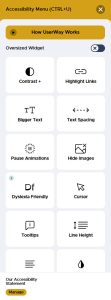
All settings can be reset to default using the “Reset All Accessibility Settings” button at the bottom of the widget window. We also provide an “Accessibility Statement” page explaining how the widget works.
Providing this capability allows elderly users or those with specific conditions such as dyslexia to more easily use your website and to enhance their experience.
Automatic Copyright Notice
The copyright notice, usually located in the bottom footer, will automatically increment on January 1st every year.
If your website has a bottom footer with an out-of-date copyright notice, no copyright notice, or one that does not identify the current year, then we can add code that will automatically update this notice every year. It should say something similar to: “Copyright © Your Company Name. All rights reserved.”
Favicon
What is a favicon? It is the tiny graphic, usually your logo, that is displayed in the browser tab and in the bookmarks/favorites list. It can also accompany a description in a search engine result list.
A favicon is important for brand recognition reasons and appears in number of different places including browser tabs, bookmarks/favorites and history, search engine results, and a home screen shortcut or app icon when a user saves the page on their mobile device. It looks like this:
Improve Footer Layout
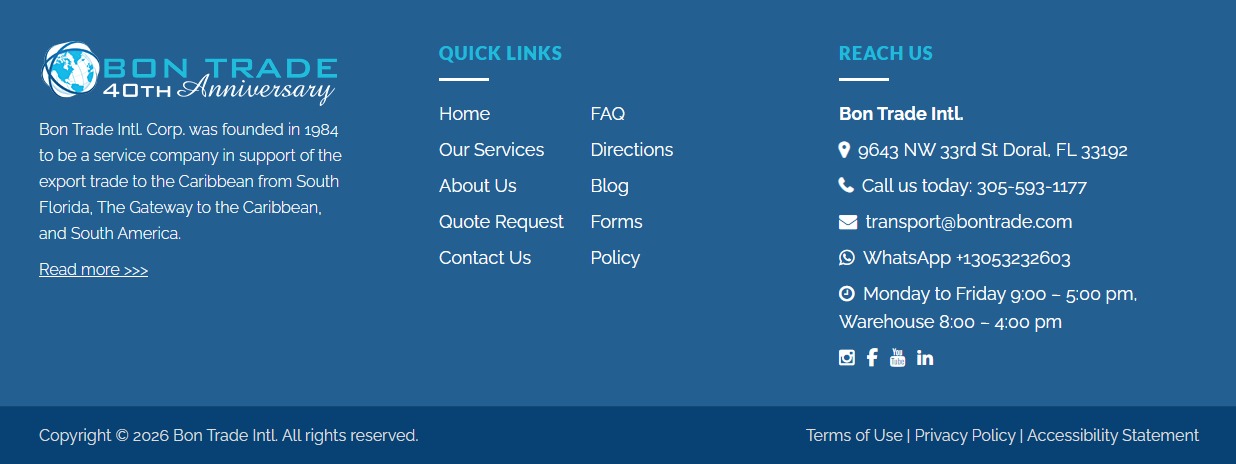
Many website footers are poorly designed. An upper footer should generally contain a statement about your website, links to important pages, contact information, and links to social media. Bottom footers usually display copyright information and links to “legal” pages (Privacy Policy, Terms of Use, etc.).
Many footers are poorly designed and are often underestimated as a key location for important information on websites. Footers appear on every page and, depending on your website purpose, should be properly branded and have a short description, links to important pages, and contact information including social media links.
Some footers can also contain Google Maps, newsletter subscription forms, and other elements.
Additionally, many footers are subdivided into top and bottom footers. Typically, bottom footers consist of a copyright notice and sometimes links to “legal” pages such as Privacy Policy and Terms of Use information.
An example of a footer layout containing different sections of interest to viewers: